Get listed on peptide directories in one click
See every directory that lists research peptide stores in your country, and get on them with one click, or by asking PEPTO. Then watch where each listing stands and the visitors it sends.
How it works
Choose a step to see the product in action.
Step 1: Every directory that covers your store
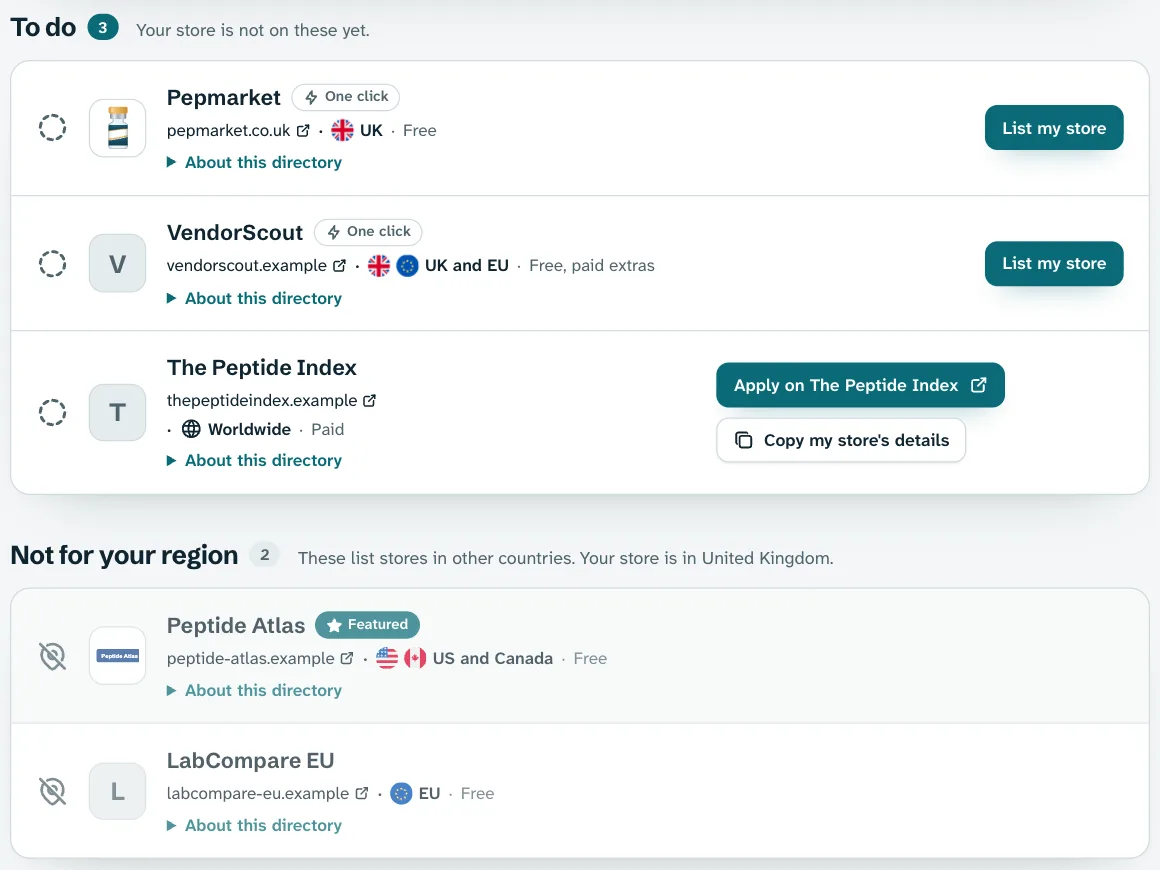
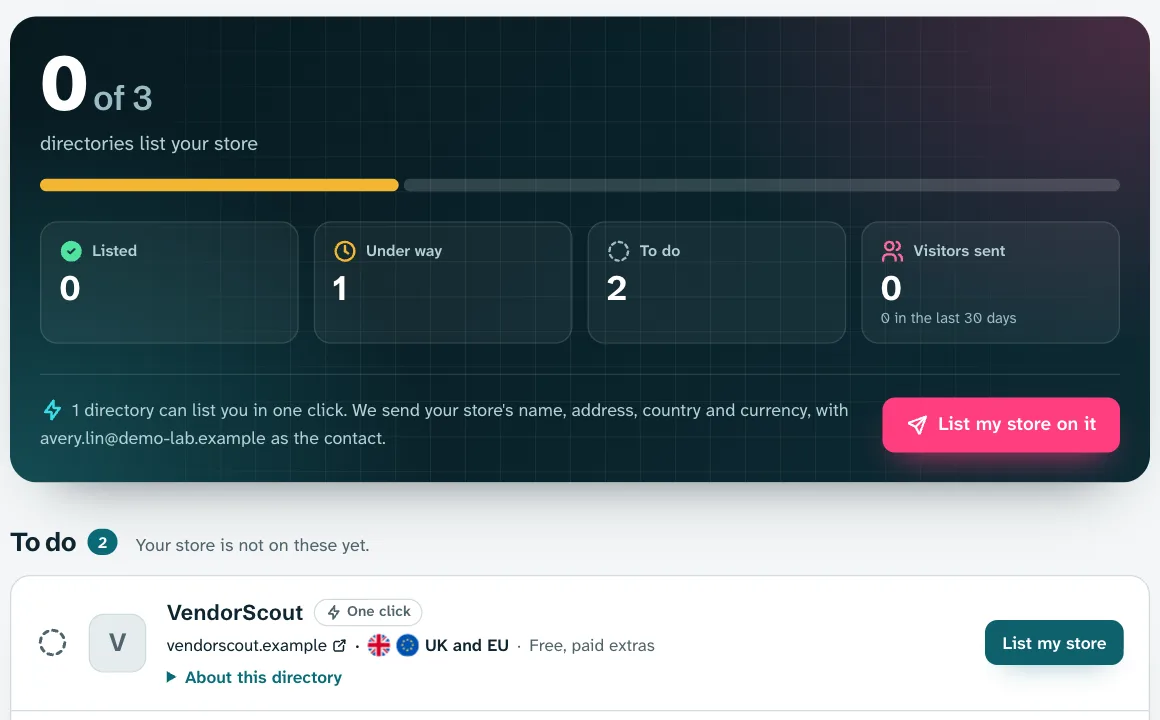
Open Directories on your My-Pepts dashboard. Each directory shows the flags of the countries it lists stores from, what a listing costs and whether it is one click. The ones for other countries wait below, so you only act on the ones that can list you.
Step 2: One click, and your store is on its way
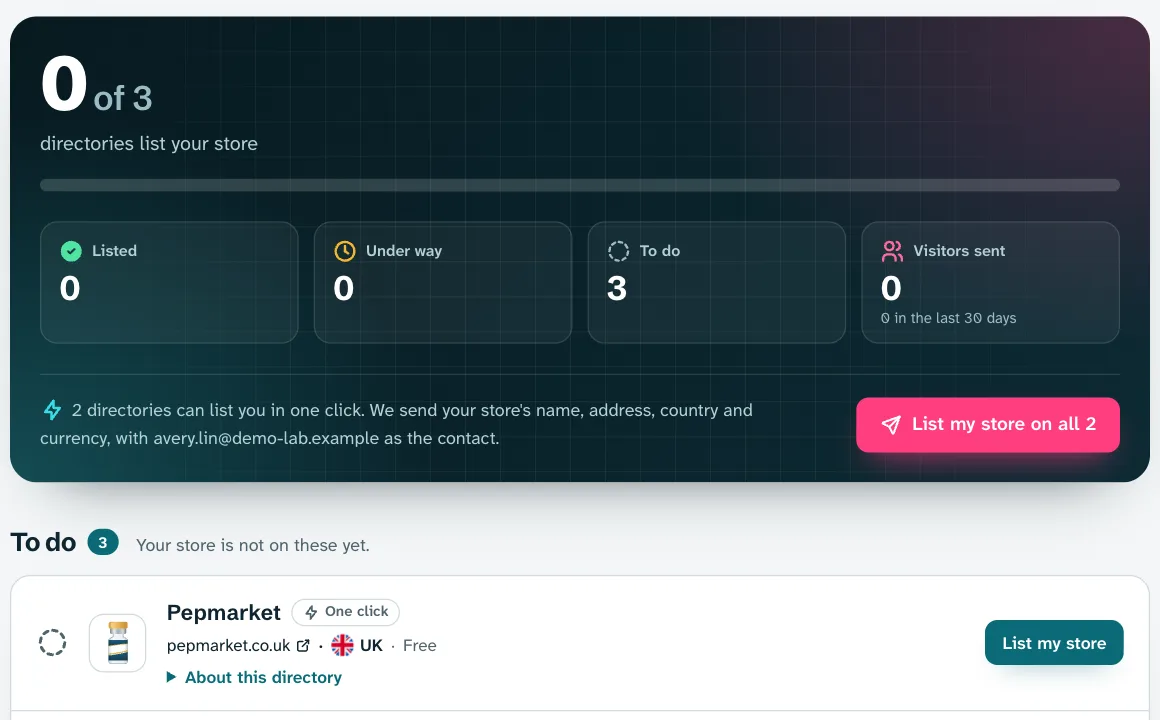
Press List my store, or List my store on all to do every connected directory at once. Your store's details go straight to the directory, which lists it or reviews it first. Pepmarket, the UK directory, is connected from the start.
Step 3: Or just ask PEPTO
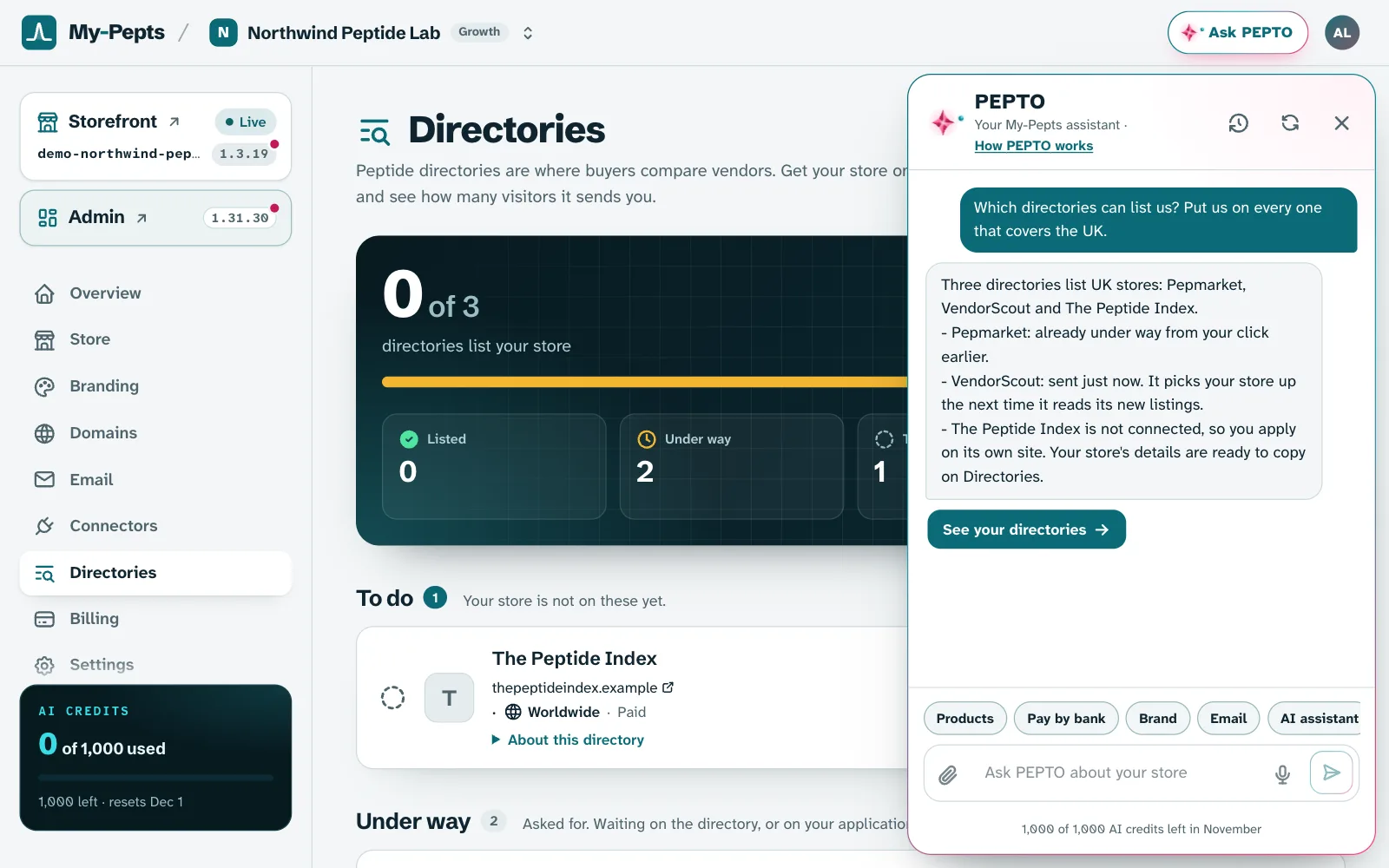
Tell PEPTO to put your store on every directory that covers your country. It looks them up, sends your store to each connected one, and tells you what each answered, including the ones that take applications on their own site.
Step 4: See where you are listed, and who it sends
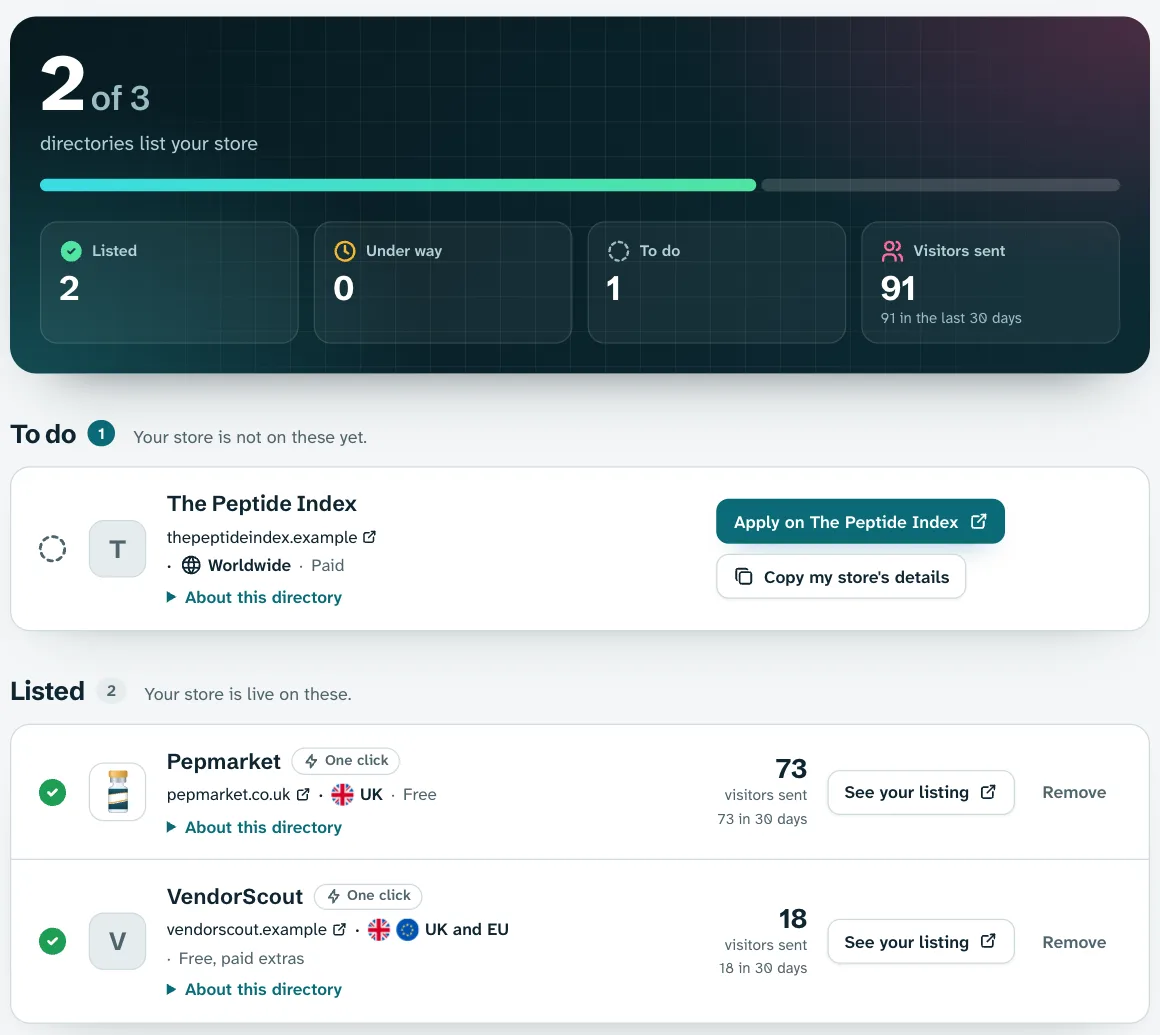
Listings move from To do to Under way to Listed as the directories answer, with See your listing once you are live. Every listing has its own tracked link, so each row shows the visitors that directory sent, and the summary adds them up.
Step 5: Run a directory? Join in, free
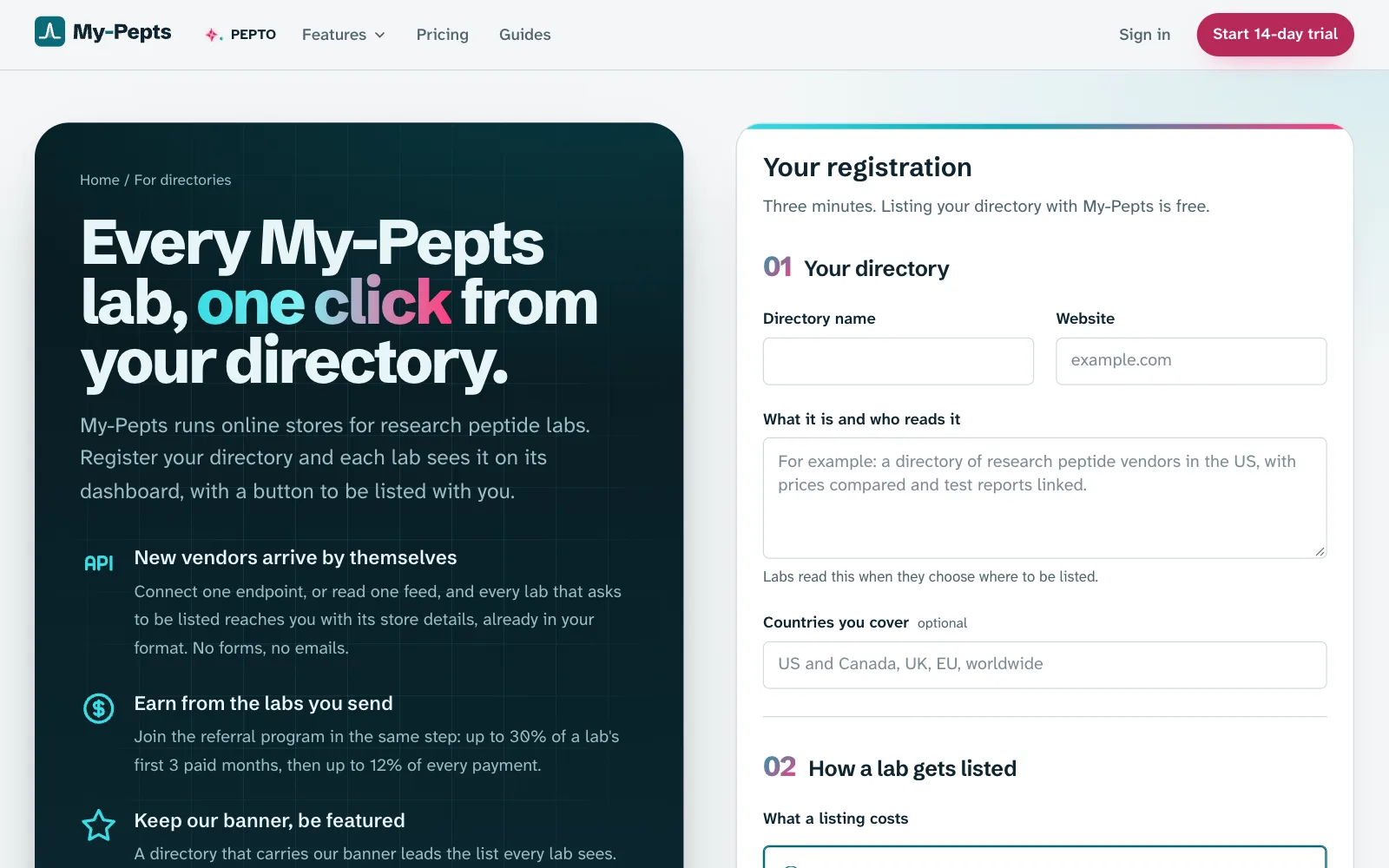
Directory owners register on my-pepts.com, connect one endpoint or read one feed, and every lab that asks to be listed arrives with its store details. Keep the My-Pepts banner on your site to be featured, and earn from the labs you send through the referral program.
Every directory that covers your store
Open Directories on your My-Pepts dashboard. Each directory shows the flags of the countries it lists stores from, what a listing costs and whether it is one click. The ones for other countries wait below, so you only act on the ones that can list you.
One click, and your store is on its way
Press List my store, or List my store on all to do every connected directory at once. Your store's details go straight to the directory, which lists it or reviews it first. Pepmarket, the UK directory, is connected from the start.
Or just ask PEPTO
Tell PEPTO to put your store on every directory that covers your country. It looks them up, sends your store to each connected one, and tells you what each answered, including the ones that take applications on their own site.
See where you are listed, and who it sends
Listings move from To do to Under way to Listed as the directories answer, with See your listing once you are live. Every listing has its own tracked link, so each row shows the visitors that directory sent, and the summary adds them up.
Run a directory? Join in, free
Directory owners register on my-pepts.com, connect one endpoint or read one feed, and every lab that asks to be listed arrives with its store details. Keep the My-Pepts banner on your site to be featured, and earn from the labs you send through the referral program.
What it does
Only the directories that cover you
Every directory shows the flags of the countries it lists stores from. You are offered the ones that cover your store's country; the others wait in their own list, marked Not for your region.
One click, nothing to fill in
For a connected directory, List my store sends your store's name, address, country, currency and language, with you as the contact. List my store on all does every connected directory at once.
Where every listing stands
To do, Under way and Listed, with each directory's answer: in review, waiting for the directory, declined with its reason, or listed with a link to your page there. A listing that could not be sent can be sent again.
Visitors you can count
Each listing carries its own tracked link, so you see the visitors every directory sends, in total and over the last 30 days. Only the count is kept, nothing about the visitor.
Directories that take applications
A directory that is not connected yet links to its own form, with your store's name, website, country, currency and contact one Copy away. Once you apply, it waits under Under way.
On every plan
Directories comes with every plan. Each directory says up front whether a listing is free, paid, or free with paid extras.
Where AI helps
Drafts and readings you check. Nothing goes out until you press the button.
PEPTO lists you everywhere at once
Ask PEPTO to put your store on every directory that covers your country, or on the ones you name. It sends your store to each and tells you what each one answered.
Which ones cover a country
Ask which directories list stores in the US, the EU or anywhere, and PEPTO answers with each one's terms, what it charges, whether it is featured and whether listing is one click.
Are we listed yet?
PEPTO checks where each listing stands, what the directory said and how many visitors it has sent. It never sends a store again where it is already listed, and takes a listing down when you ask.
In your store admin and over MCP
The same tools are in your lab admin's PEPTO, which shows you the change on a card before it lists or unlists your store, and in Claude, ChatGPT or Cursor connected to your store with a full-access key.
Try it on your own catalog
Your store is live on yourlab.my-pepts.store seconds after you name it, and selling from A to Z in about 20 minutes.