Your own affiliate program, on your own terms
Pay the people who send you customers, by rules you set: the discount, a commission that climbs and how you pay. Every affiliate gets a link, a code, and an API for their own tools and AI agents.
How it works
Choose a step to see the product in action.
Step 1: Open your program with one switch
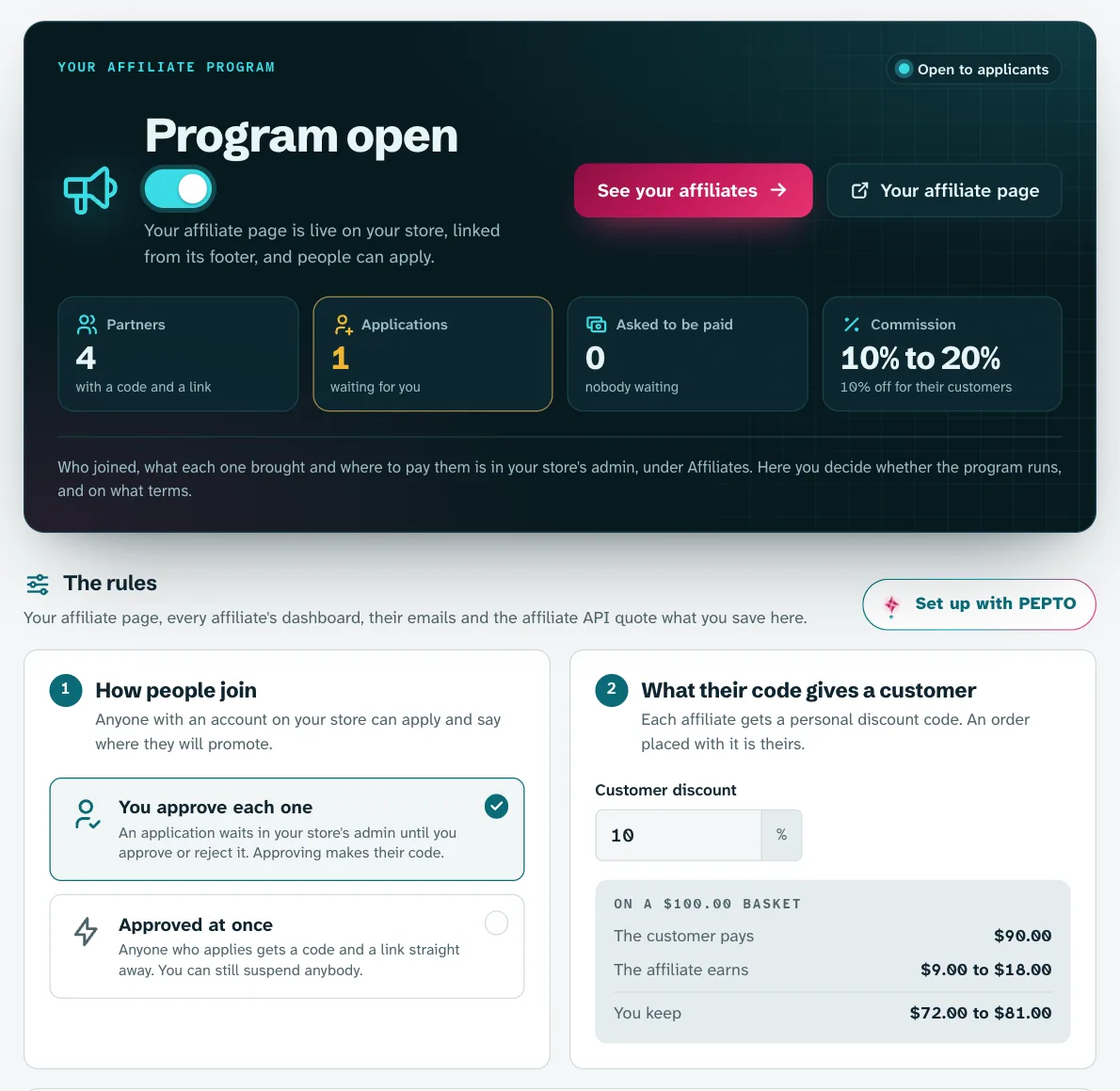
Open Affiliates on your My-Pepts dashboard. One switch opens the program and puts an affiliate page on your store. Then choose how people join, approved by you or at once, and what a code takes off for the customer. A worked example shows what an order would pay before you save.
Step 2: Set what an order earns, and how you pay
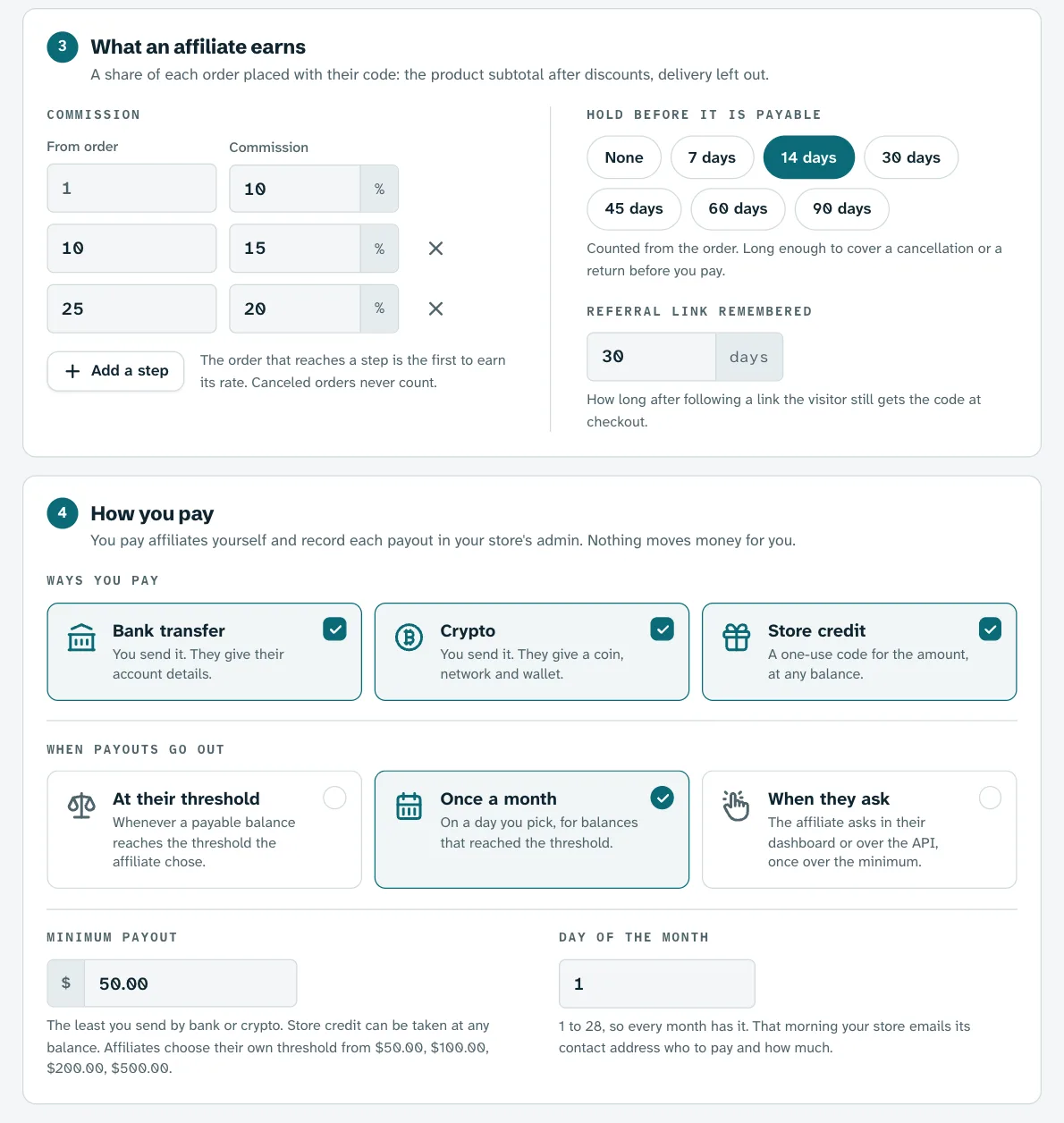
Pay one rate, or add steps that pay more to the affiliates who bring more orders. Pick the hold before a commission is payable, then how you pay: bank, crypto or store credit, at a threshold, once a month or when they ask.
Step 3: Or tell PEPTO what you want to pay
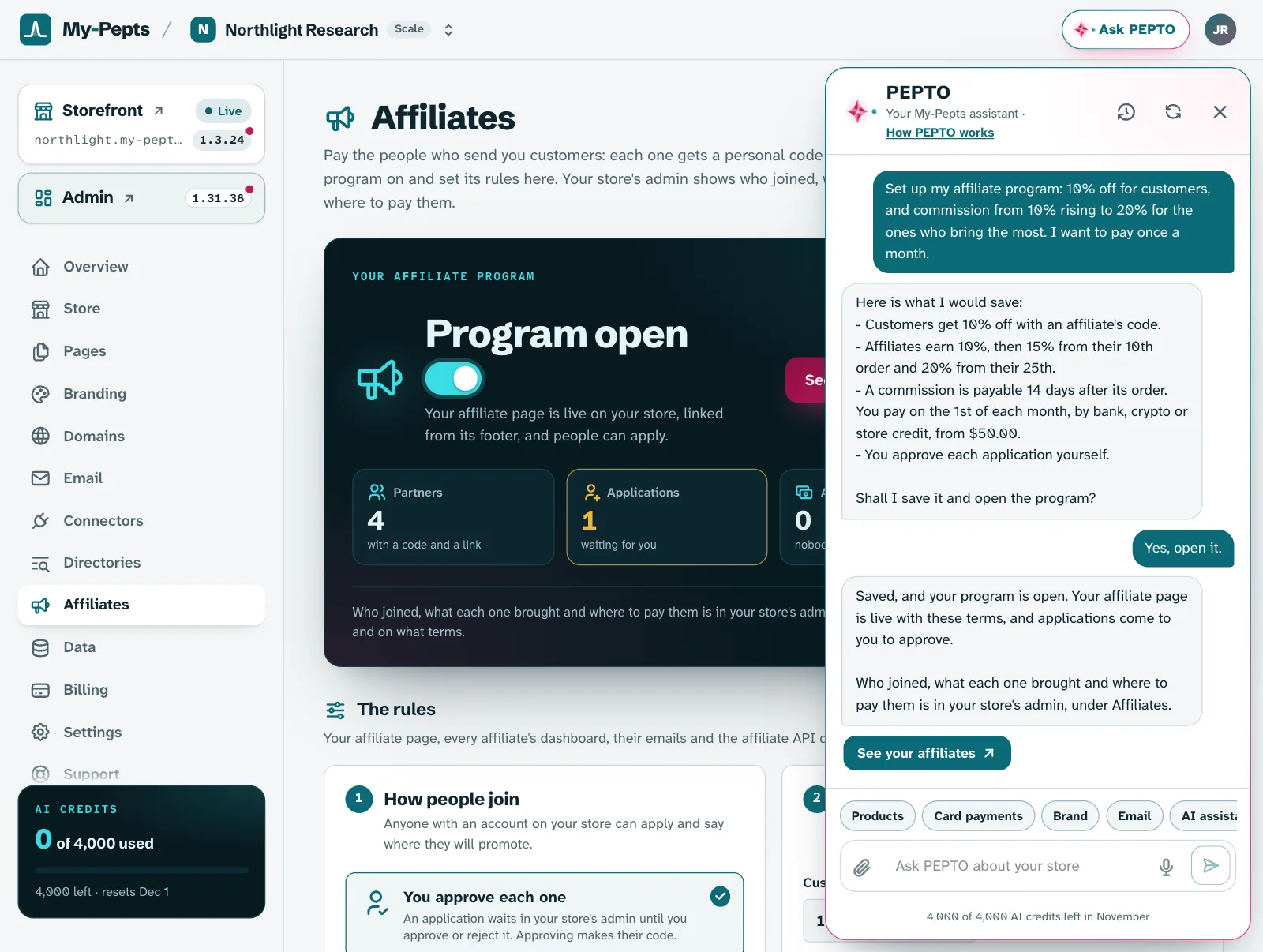
Say it in a sentence. PEPTO reads your program, says the terms back in plain lines and waits for your yes. Then it saves them on your store and opens the program.
Step 4: Your store states the terms and takes applications
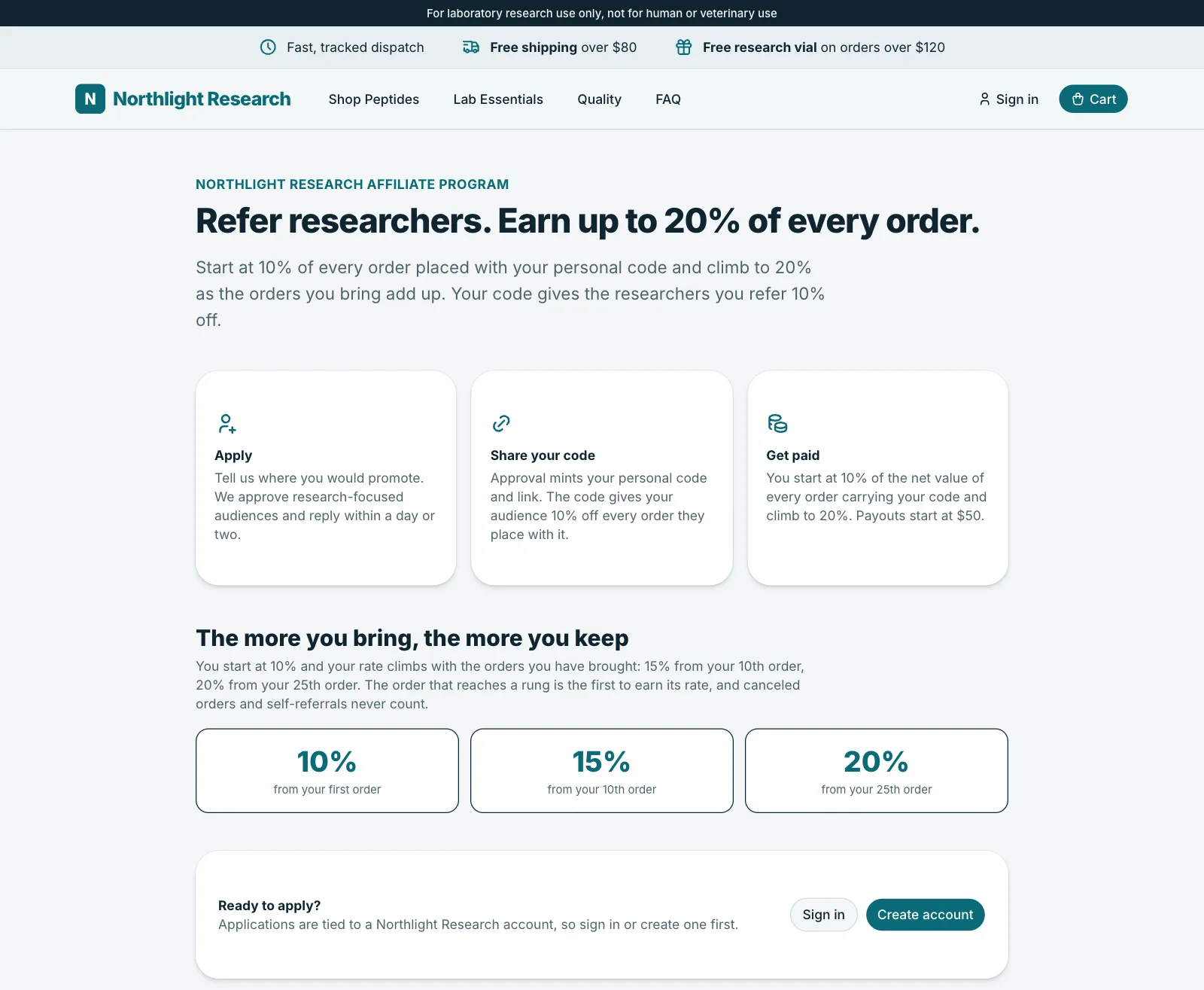
Your storefront gets an affiliate page in its own language, with the terms exactly as you saved them. People apply there. Once approved, each one is emailed a personal code and a link.
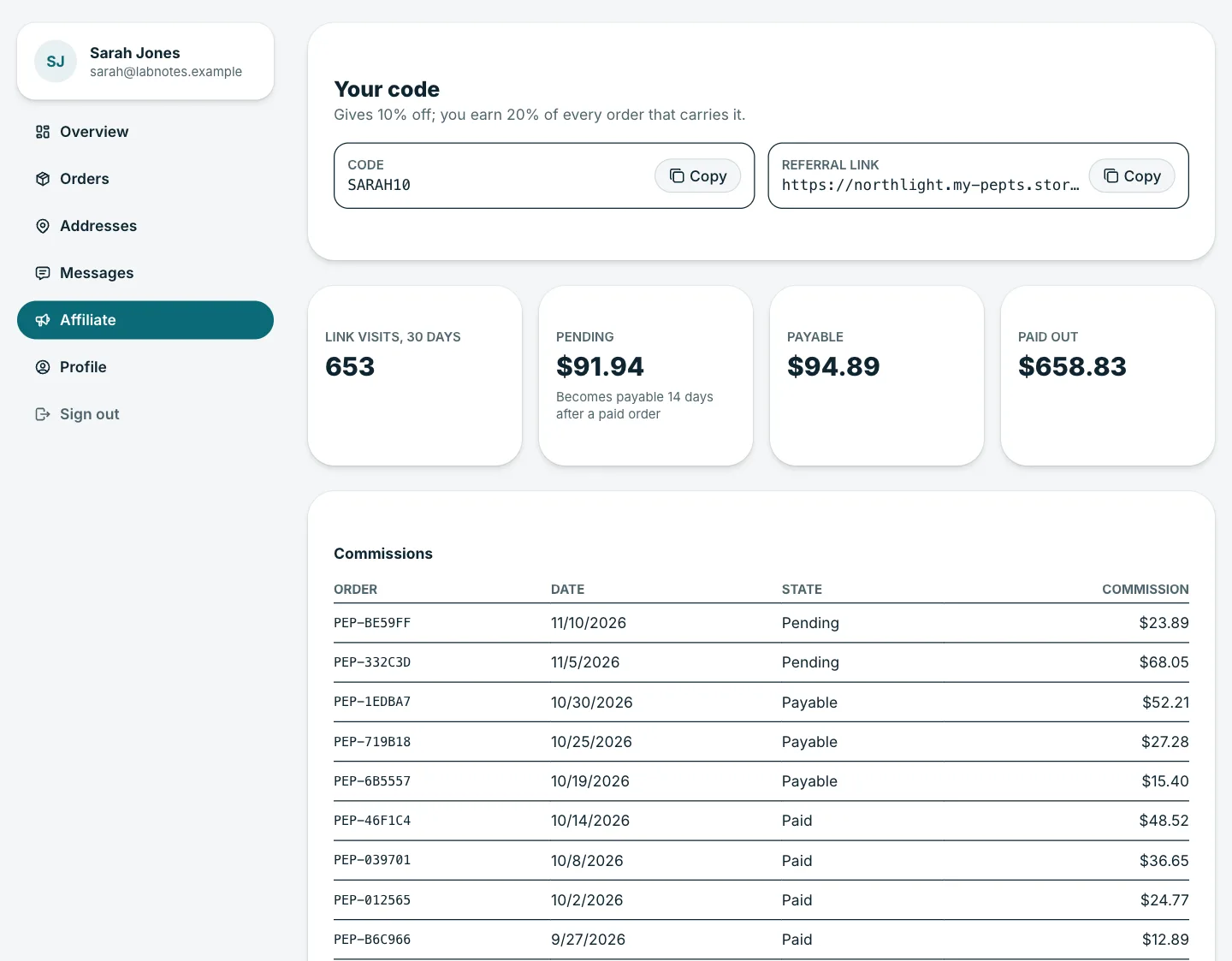
Step 5: Every affiliate sees what they earned
Each affiliate has a dashboard on your store: their code and link, visits, and every commission as pending, payable or paid, with a statement for each payout. It never shows who the customers were.
Step 6: Built for their tools and AI agents
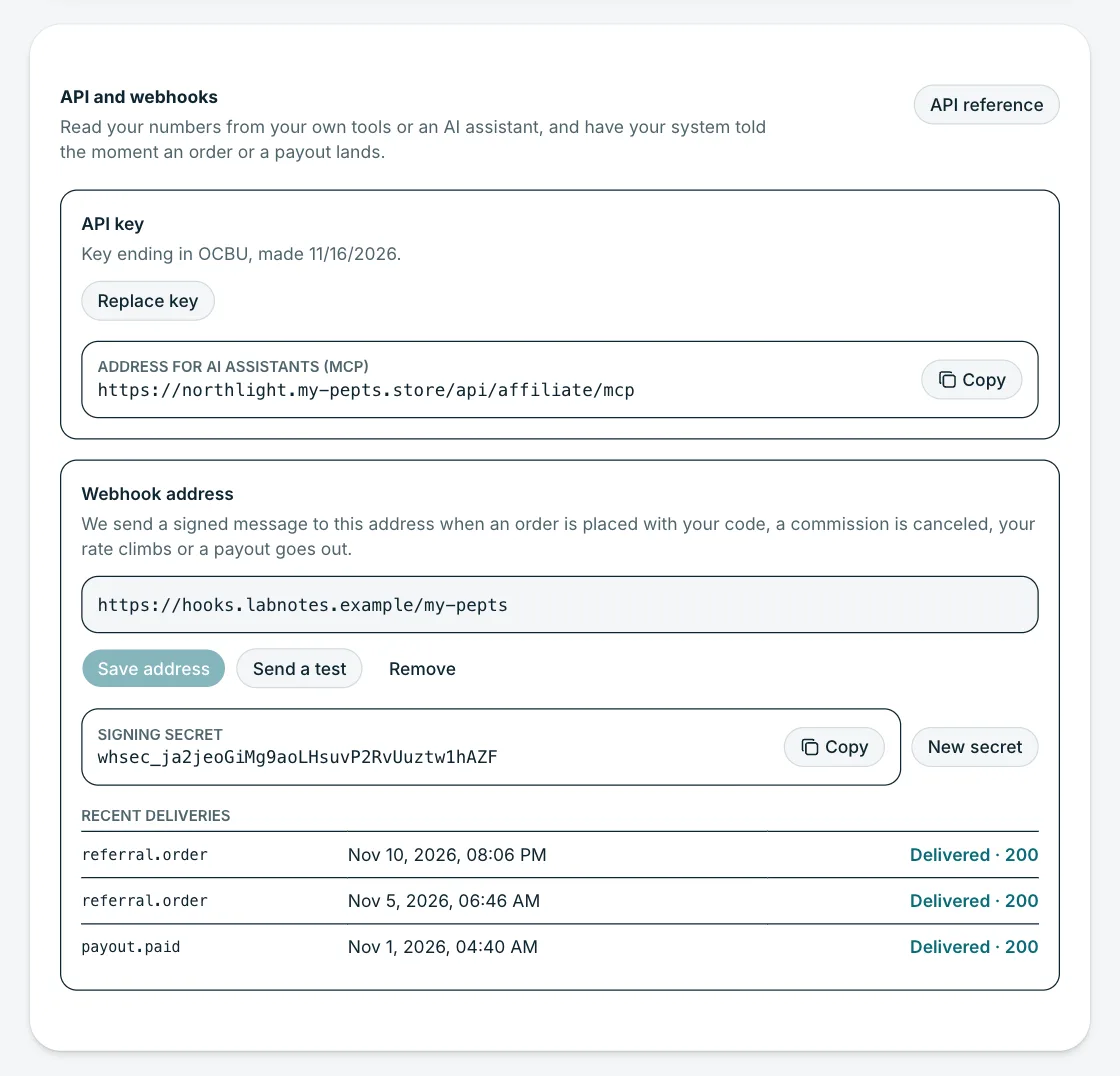
An affiliate's script or AI assistant reads the same numbers with an API key, and a webhook tells their system the moment an order lands with their code. An agent can even apply for them: two calls and a code sent to their email.
Step 7: See who brought what, and pay them
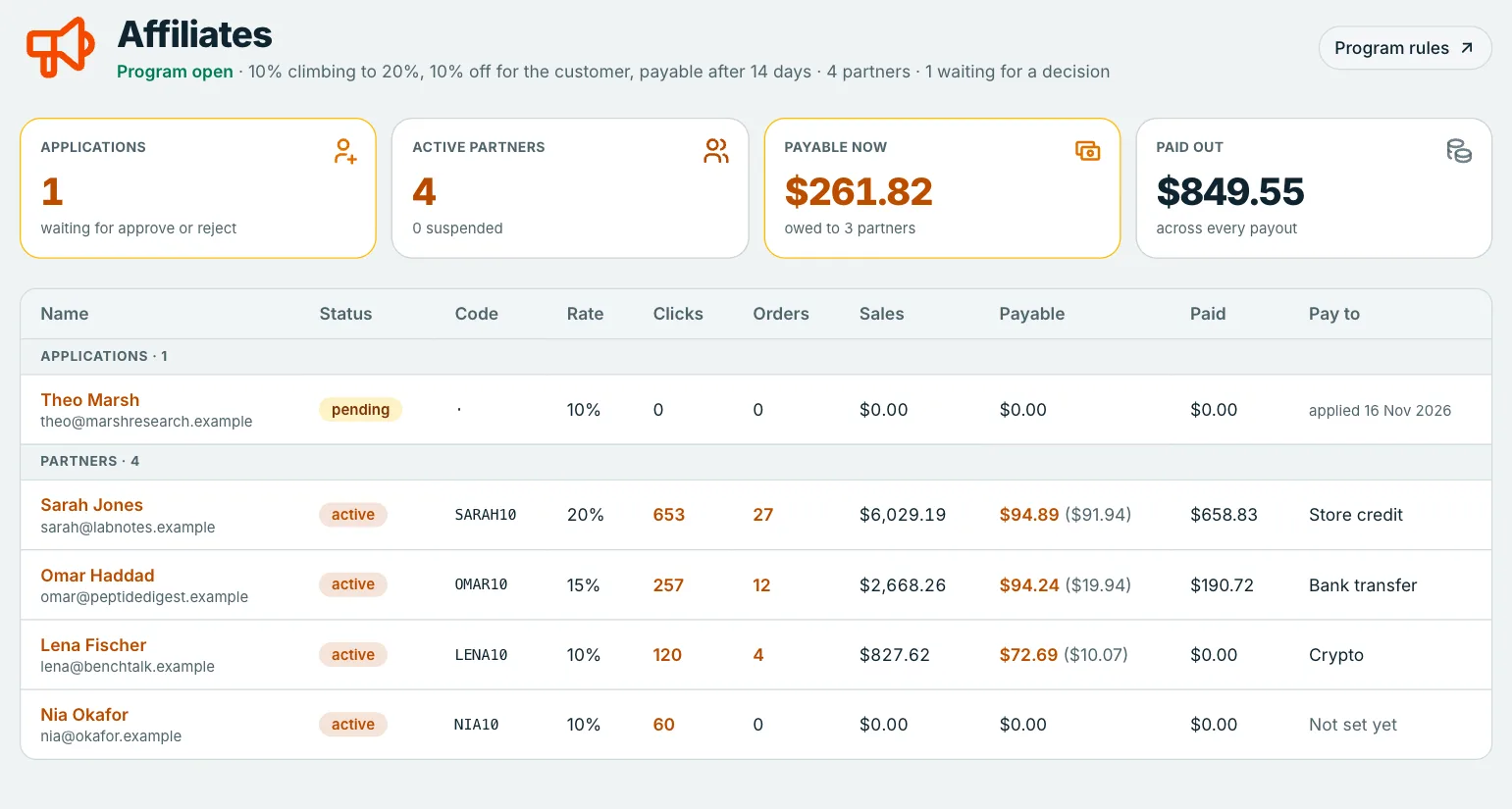
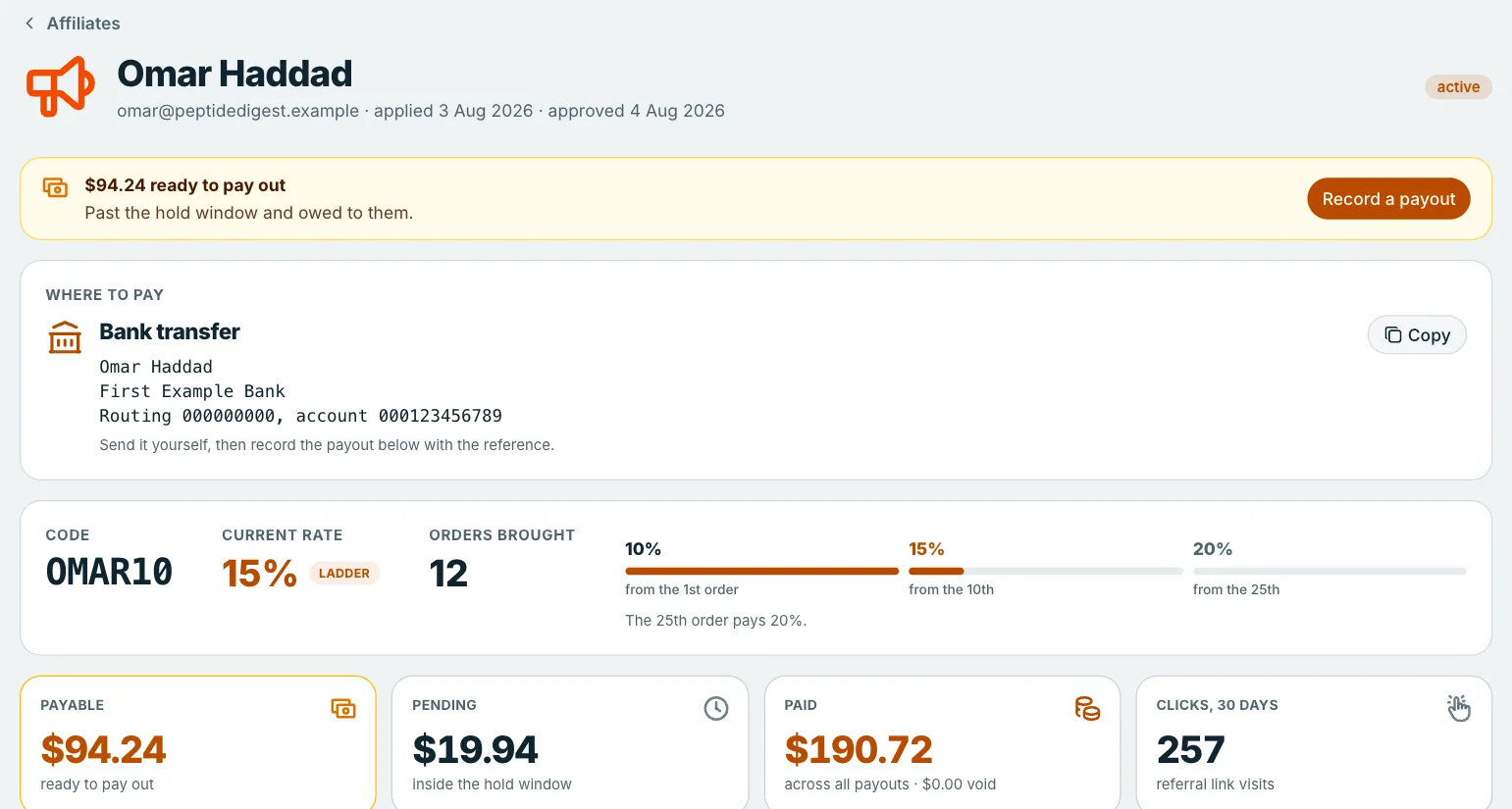
Your store's admin lists every affiliate with visits, orders, sales, what is payable and where to pay it. When a payout is due you get an email. Send the money, record the payout, and the affiliate gets an email and a statement.
Open your program with one switch
Open Affiliates on your My-Pepts dashboard. One switch opens the program and puts an affiliate page on your store. Then choose how people join, approved by you or at once, and what a code takes off for the customer. A worked example shows what an order would pay before you save.
Set what an order earns, and how you pay
Pay one rate, or add steps that pay more to the affiliates who bring more orders. Pick the hold before a commission is payable, then how you pay: bank, crypto or store credit, at a threshold, once a month or when they ask.
Or tell PEPTO what you want to pay
Say it in a sentence. PEPTO reads your program, says the terms back in plain lines and waits for your yes. Then it saves them on your store and opens the program.
Your store states the terms and takes applications
Your storefront gets an affiliate page in its own language, with the terms exactly as you saved them. People apply there. Once approved, each one is emailed a personal code and a link.
Every affiliate sees what they earned
Each affiliate has a dashboard on your store: their code and link, visits, and every commission as pending, payable or paid, with a statement for each payout. It never shows who the customers were.
Built for their tools and AI agents
An affiliate's script or AI assistant reads the same numbers with an API key, and a webhook tells their system the moment an order lands with their code. An agent can even apply for them: two calls and a code sent to their email.
See who brought what, and pay them
Your store's admin lists every affiliate with visits, orders, sales, what is payable and where to pay it. When a payout is due you get an email. Send the money, record the payout, and the affiliate gets an email and a statement.
What it does
Your terms, stated on your store
Set what a code takes off for the customer, how long a referral link is remembered and how applications are approved. Your store's affiliate page states the terms in its own language and follows every change you save.
A commission that climbs
Pay one flat rate, or up to six steps that pay more to the affiliates who bring more orders. Every order keeps the rate it was earned at, so changing the ladder never rewrites what was already earned.
A hold you choose
A commission waits out the hold before it is payable, from none to 90 days, long enough to cover a cancellation. A canceled order voids its commission by itself.
Pay your way
Bank transfer, crypto or store credit; at a threshold, once a month on a day you pick, or when the affiliate asks. You send the money yourself and record it. Store credit becomes a one-use code for the amount, and every payout has a statement.
Emails at every turn, in 17 languages
An application, an approval, each commission, a step up the ladder, a payout request, a payout sent, and on the morning of your monthly payout day a list of who to pay and how much.
On Scale and up
The affiliate program is part of the Scale plan and every plan above it. Closing it stops new applications; the affiliates you approved keep their code, their commission and their dashboard.
Where AI helps
Drafts and readings you check. Nothing goes out until you press the button.
PEPTO sets the whole program up
Tell PEPTO what you want to pay and how. It reads your program, says the terms back in plain lines, and when you say yes it saves them on your store and opens the program.
An API and webhooks for every affiliate
Each affiliate makes a key in their dashboard and reads their earnings, commissions, link visits and payouts from their own tools. A webhook tells their system the moment an order lands with their code or a payout goes out.
An address for AI assistants
The same operations are tools at one MCP address on your store, with a reference written to be handed to an assistant. An affiliate can ask Claude, ChatGPT or Cursor what they earned this month.
Agents can join by themselves
An AI agent applies for the person it works for with two calls and a code sent to that person's email. It joins by the same rule as everyone else: approved by you, or at once if you chose that.
Try it on your own catalog
Your store is live on yourlab.my-pepts.store seconds after you name it, and selling from A to Z in about 20 minutes.