PEPTOYour AI store assistant
Set up your store by asking PEPTO.
The AI assistant built into My-Pepts. It knows what is left to launch, drafts your brand and logo, finds your domain and turns a supplier's price list into products. You approve every change.
PEPTO: set up by asking, run by approving
Maya and Sam talk it through · 3:20
Read the conversation
- Maya
- Welcome to the My-Pepts podcast. I'm Maya, and like my co-host, I'm an AI voice reading a script the My-Pepts team wrote.
- Sam
- And I'm Sam. Today it's PEPTO, the assistant built into My-Pepts. Which, to be fair, is also AI. So that's three of us.
- Maya
- Pretty much. So what is PEPTO, in one line?
- Sam
- It's the assistant behind all the AI help in My-Pepts. On your dashboard it helps you set the store up, and in your store's admin it helps you run it.
- Maya
- Let's start with setup, because that's where most people stall.
- Sam
- When you press PEPTO on the dashboard, it opens on your setup tasks. Is the store live, have you added products, your brand, your own domain, email from that domain, and connecting an AI assistant. Each one has a Help me with this button.
- Maya
- And if I just tell it, here's my lab, here's the feel I want?
- Sam
- Then it drafts whole looks: layout, colors, typefaces and corners. You can attach your old logo or a screenshot of a store you like, and it can paint new logo options too. You preview each draft on your real store before you pick one.
- Maya
- What about a domain?
- Sam
- Ask for the name you want and it checks which versions are free, with a Buy button beside each one. The buying happens on the Domains page, and that's your click.
- Maya
- Okay, the part I'd dread. Products. Suppliers send price lists as spreadsheets, PDFs, screenshots of a chat.
- Sam
- That's the one. In your admin you drop the file into PEPTO, or paste the screenshot. It reads it against your compound library, matches the names, and proposes the products and the stock. A new batch even shows its vial in 3D, in your label and cap colors.
- Maya
- Proposes. Not creates.
- Sam
- Proposes. That's the rule everywhere. PEPTO reads your store freely, but every change comes as a card that says, in plain words, what will happen. Approve runs it. Decline, or just asking something else, leaves the store as it was.
- Maya
- And the ones that matter most?
- Sam
- Anything that can email a customer, or can't be undone, is marked in amber. And money and keys never happen in the chat. Buying a domain, applying a look, making a key: those stay on their own pages.
- Maya
- Then, once the store is open?
- Sam
- It's the colleague you ask things. What sold this week. Where a parcel is. What runs out in the next two weeks. You get figures, small charts and links straight to the orders, and Command J opens it from any admin page.
- Maya
- Can I just talk to it?
- Sam
- You can. Press the microphone and say it. It listens for the names and short forms in your own catalog, and it waits through a pause until you've finished.
- Maya
- What does it cost?
- Sam
- Every plan includes AI credits for PEPTO each month. On Growth and Scale you can run it on your own Claude or OpenAI key instead, and then nothing counts against your credits.
- Maya
- And if I already live in Claude or ChatGPT?
- Sam
- Add My-Pepts as a connector, sign in, and choose read only or full access. Your own assistant then works with the same tools, and it spends no My-Pepts credits at all.
- Maya
- So, the short version?
- Sam
- You still make every decision. PEPTO does the reading, the typing and the looking up, so the twenty minutes of setup really are about twenty minutes.
- Maya
- That's PEPTO. Try it on your own store at my-pepts.com. Thanks for listening.
One message, and the groundwork is done
A demo lab says who it is and what it wants. PEPTO reads the store's details, drafts three looks in its colors and finds a .com that is free.
Nothing changes until the owner chooses: preview a look on the store, or buy the name on Domains.
Hours back in your first week
Typing in a supplier's list, trying looks, hunting for a domain, answering the same order questions: about 4 h 22 min of busywork by hand, about 45 min with PEPTO. Drag the rows to see your own list.
Products from a supplier's price list
28 min backon 40 rows, about 7 times quicker
- By hand
- With PEPTO
By hand: 6 fields a row (product, size, price, cost, quantity, batch) at about 8 seconds each. With PEPTO: about a minute for it to read the list against your library, then about 5 seconds a row to check its card before you approve.
A launch week, task by task
3 h 37 min back4 h 22 min by hand, 45 min with PEPTO
- By hand
- With PEPTO
Work out what is left to set up
A look for the store, and logo ideas
Find a domain that is free
Book in a 40-row price list
Answer 20 customer emails
The week's numbers
See the working as a table
| Task | By hand | With PEPTO | How we estimated it |
|---|---|---|---|
| Work out what is left to set up | 10 min | 1 min | Clicking through each settings page, against opening PEPTO's list of setup tasks. |
| A look for the store, and logo ideas | 1 h 30 min | 15 min | Picking colors, type and corners and trying logo ideas yourself, against one sentence, three drafted looks and a preview of each. |
| Find a domain that is free | 20 min | 3 min | Trying names one by one at a registrar, against asking once and picking from the free ones. |
| Book in a 40-row price list | 32 min | 4 min | 6 fields a row at 8 seconds each, against about a minute for PEPTO to read it and 5 seconds a row to check its card. |
| Answer 20 customer emails | 1 h 20 min | 20 min | About 4 minutes each to look up the order and write, against about 1 minute each to check and send a drafted reply. |
| The week's numbers | 30 min | 2 min | Adding up orders, sales and stock from the admin, against asking how the week went. |
| Total | 4 h 22 min | 45 min | 3 h 37 min back |
Estimates, not measurements: how we got each number is under the charts. Your own times depend on your list, your store and how closely you check each card.
Your 20 minutes, with PEPTO beside you
From sign-up to the first order is about 20 minutes at the keyboard. At each step, here is what you do and the groundwork PEPTO takes off your hands.
- 0 minCreate your accountYou: Pick the plan you want to try, then your name, your email and a password.My-Pepts: Your 14-day free trial starts straight away.
- 2 minYour store is liveYou: Name the store and pick its address, country, currency and language.PEPTO: Opens on the setup tasks still to do, with Help me with this beside each one.
- 3 minBrand itYou: Put your lab's name, mark and colors on the store.PEPTO: Drafts whole looks from a sentence about your lab and paints logo options. You preview them and pick one.
- 7 minAdd your productsYou: Edit the sample listings or add your own: sizes, prices, volume tiers and stock.PEPTO: Reads a supplier's price list or a WhatsApp screenshot and proposes the products and stock, for you to approve.
- 13 minConnect your domainYou: Buy a domain from the Domains page, or connect one you already own.PEPTO: Checks which versions of your name are free and puts a Buy button beside each.
- 17 minSet up emailYou: Add the email records the Email page shows you.PEPTO: Reads your email setup and tells you which step is left.
- 20 minTake ordersYou: Share your store's link.PEPTO: Answers what sold, where a parcel is and what runs out next, and drafts the replies.
Times are typical for a lab with its logo, colors and first products to hand. DNS changes can take up to 48 hours to reach every network; your store keeps selling on its my-pepts.store address meanwhile.
How PEPTO gets you there
Six moments, from the first press to the shop running. Each picture is PEPTO's own panel with a demo lab's data.
Step 1: It knows what is left
Press PEPTO at the top of your dashboard. It opens on your store's setup tasks and how many are done, and Help me with this on any of them starts it there and then.
PEPTOVellmar LabsHi Mara. Here is what is left to launch.1 of 6 doneStep 2: A whole look from one sentence
Describe your lab, or attach your logo or a screenshot of a look you like. PEPTO drafts complete looks (layout, colors, type and corners) and can paint new logo options. Preview each on your real store; nothing changes until you choose one.
PEPTOVellmar LabsDraftsStep 3: Your domain, found in the chat
Ask for the name you want and PEPTO checks which versions are free, with a Buy button beside each. Buying stays your click on the Domains page, where the DNS and the certificate are set up for you.
PEPTOVellmar LabsStep 4: Products from a supplier's list
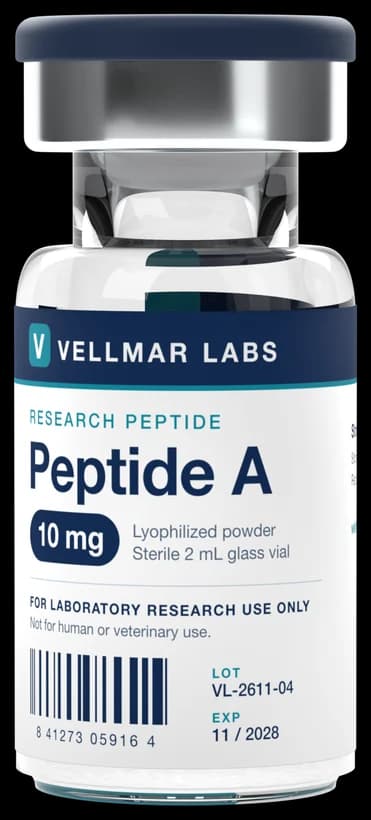
In your store's admin, drop in a supplier's price list, a PDF quote or a WhatsApp screenshot. PEPTO reads it against your compound library and proposes the products and stock, with each new batch's vial drawn in your label and cap colors.
PEPTOVellmar Labs adminStep 5: Every change waits for your yes
Changes come as one card that says what will happen, in words: prices as money, products by name. Approve runs them. Decline, or simply asking something else, leaves the store as it was, and a change that can email a customer or cannot be undone is marked in amber.
Step 6: Then it helps run the shop
Ask what sold this week, where a parcel is, what runs out in the next two weeks or what last month made. Answers come with figures, charts and links to the records, and ⌘J opens PEPTO from any admin page.
PEPTOVellmar Labs admin
One assistant, wherever you are working
Your dashboard
Top right on my-pepts.com
Where you set up. It knows your setup tasks, drafts brand looks and logos, finds domain names, checks your email setup and answers questions about your plan.
Your store's admin
Ask PEPTO in the top bar, or ⌘J on any page
Where you run the shop. Orders, stock, suppliers, customers, the inbox, coupons and campaigns, with every change on a card for your approval. The Draft, Import and Read buttons across the admin are PEPTO too.
Your own Claude or ChatGPT
Add my-pepts.com/mcp as a connector
Prefer the assistant you already use? Sign in with your My-Pepts account, pick read only or full access, and it works with the same tools. It spends no My-Pepts credits.
What PEPTO brings to every answer
It checks, it does not guess
PEPTO works through the same tools as your admin screens, more than 200 of them: orders, catalog, stock, suppliers, customers, inbox, coupons, broadcasts, reviews and email. Answers come from your store's own records, with links to them.
Nothing changes without you
Every change arrives on a card that says what will happen, in words. Approve runs it, Decline leaves the store as it was, and anything that can email a customer or cannot be undone is marked.
Say it instead of typing
Press the microphone in any PEPTO box and talk. Live dictation listens for the names and short forms your catalog uses, and waits through a pause until you have finished.
Drop in the paperwork
Attach a price list, a PDF quote or a photo, paste a screenshot, or drop files on the panel. PEPTO reads them along with your question.
Looks it up when it has to
For what your store cannot tell it, like a supplier's site, market prices or shipping rules, PEPTO searches the web and lists its sources.
Picks up where you left off
Conversations are kept by day in History on any device. Pick one up again, search them, or delete one.
Credits on every plan, or your own key
Every plan includes AI credits for PEPTO each month: Starter 250, Growth 1,000 and Scale 4,000. On Growth and Scale, run it on your own Claude or OpenAI key and nothing counts against them.
One credit is roughly one short draft; research and longer answers use more. Your own Claude or ChatGPT over the connector spends no My-Pepts credits. Compare plans.
Reads freely, changes nothing on its own
Every change waits on a card until you press Approve. Decline, or ask something else, and the store stays as it was.
Money and keys stay your click
Buying a domain, applying a look or making a key happens on its own page, by you. PEPTO takes you there.
Your store's data stays your store's
In your admin PEPTO works inside your store as you, through the same rules as the screens. Each store has its own database, so it never sees another lab's.
Research use, always
PEPTO writes for a research store: no medical claims, no advice on use, and the research-use statement kept wherever it belongs.
Questions about PEPTO
What is PEPTO?
PEPTO is the AI assistant built into My-Pepts. On your dashboard it helps you set your store up; in your store's admin it helps you run it. All the AI help across My-Pepts comes from PEPTO.
Does PEPTO change anything on its own?
No. It reads your store freely, but every change it proposes waits on a card until you press Approve, and buying a domain, applying a look or making a key stays your click on its own page. Replies and campaigns are drafts until you send them.
What does it cost?
Every plan includes AI credits for PEPTO each month: Starter 250, Growth 1,000 and Scale 4,000. One credit is roughly one short draft; research and longer answers use more. On Growth and Scale, PEPTO can run on your own Claude or OpenAI key instead, and nothing counts against your credits. Need more? 1,000 extra AI credits are $25 a month on Billing. Connecting your own Claude or ChatGPT spends no My-Pepts credits at all.
Which AI is behind PEPTO?
PEPTO thinks with Claude, from Anthropic, on your plan's credits, or with your own Claude or OpenAI key on the plans that allow one. Logo pictures and live dictation use OpenAI's models.
Does PEPTO know my products and orders?
In your store's admin, yes: it works as you, through the same tools and rules as the admin screens, so it looks up orders, stock, suppliers and customers instead of guessing. Each store runs on its own database, so PEPTO never sees another lab's data.
Can I talk to it instead of typing?
Yes. Press the microphone in any PEPTO box and say it. You can also attach pictures, PDFs and price lists, paste a screenshot, or drop files on the panel.
Can I use Claude or ChatGPT instead?
Yes. Add my-pepts.com/mcp as a connector in Claude, ChatGPT or Codex, sign in with your My-Pepts account and pick read only or full access. Your assistant then works with the same tools PEPTO uses, and spends no My-Pepts credits.
Open your store and ask PEPTO
Your store is live on yourlab.my-pepts.store seconds after you name it, and PEPTO is waiting at the top of your dashboard.
What PEPTO works with
- StorefrontA complete storefront for research peptide labs: per-size product pages, certificates, checkout rules and country stores from day one.
- BrandingYour name, mark and colors carried through the storefront, checkout and order emails, with photoreal vial renders and designers on hand when you want them.
- Order managementAn orders list that tells the truth, a packing bench on your phone, and real profit on every parcel.
- Suppliers & stockPrice lists from a WhatsApp screenshot, stock orders from a quote, parcels followed to your door and batches told apart by their labels, with PEPTO doing the typing.
- Baskets & journeysEvery basket, every visit and every step toward checkout, read as one timeline per visitor.
- Google AdsA live Google Ads panel, every click followed to its order, paid orders sent back as conversions, and an ad landing page that never names a compound.
- Email campaigns & AISend to people who asked to hear from you, fill templates from your catalog, and let PEPTO draft the words for you to approve.
- ShippingTracking numbers that fill themselves in, Royal Mail's updates passed on in your name, and orders that move to shipped and delivered on their own.